

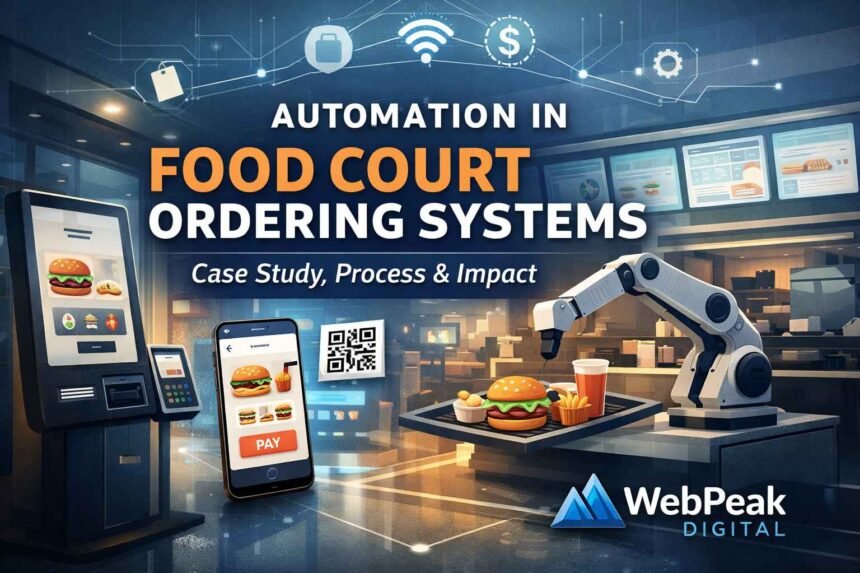
Food courts operate under constant pressure to serve large volumes of customers quickly while coordinating multiple vendors in a shared space. As customer expectations shift toward faster service, digital payments, and real-time order tracking, traditional counter-based systems often struggle to keep up. This has pushed many operators to rethink how ordering, payments, and kitchen workflows are managed at scale.
This automation in food court ordering system case study looks at how a multi-vendor food court implemented automated ordering to address queue congestion, order errors, and operational inefficiencies. It focuses on the actual process, technologies used, measurable outcomes, and practical challenges, offering a clear view of what automation delivers in real operating conditions.
What Is Automation in a Food Court Ordering System?
What Is Automation in a Food Court Ordering System? Automation in food court ordering system case study means using connected digital tools to handle ordering, payment, and order routing with minimal manual intervention.
These systems replace or reduce counter-based ordering and unify multiple vendors under one operational flow, while still allowing each vendor to operate independently.
Definition and scope of food court ordering automation
Food court ordering automation is the use of software and hardware to manage customer orders across multiple vendors from a single interface.
It typically covers
- Order capture (kiosk, mobile, QR)
- Payment processing
- Vendor routing
- Status tracking and reporting
The scope usually extends beyond ordering into analytics, staffing, and inventory signals.
Key components involved in automated ordering ecosystems
An automated ecosystem relies on multiple connected components working together.
Core components include:
- Front-end ordering interfaces
- Central order management system
- Vendor-level POS or kitchen displays
- Payment gateway
- Reporting and analytics layer
Each component must exchange data in real time to avoid bottlenecks.
How automation differs from traditional POS setups
Automation differs by centralizing control while decentralizing execution.
Traditional POS:
- Separate queues per vendor
- Manual order relay
- Limited cross-vendor visibility
Automated systems:
- Unified ordering flow
- Automated routing
- Central performance oversight
This shift changes how food courts operate at scale.
How Automated Food Court Ordering Systems Work
Automated systems follow a standardized digital flow from order placement to fulfillment.
The goal is to remove manual handoffs while keeping vendors operationally independent.
Customer ordering journey (kiosks, mobile, QR)
Customers place orders through a digital interface instead of a staffed counter.
Typical flow:
- Browse all vendors from one menu system
- Customize items per vendor rules
- Submit one combined order
This reduces decision time and queue length.
Order routing to vendors and kitchens
Once an order is placed, the system automatically splits it by vendor.
Routing logic ensures:
- Each vendor only receives relevant items
- Orders arrive in the correct preparation sequence
- Prep timing aligns with pickup or table delivery
No manual coordination is required.
Payment processing and confirmation flow
Payments are processed centrally through a single transaction.
Key steps include:
- Secure payment authorization
- Instant confirmation to the customer
- Automatic reconciliation per vendor
This avoids disputes and simplifies settlement.
Backend data synchronization
All actions are logged and synced across systems in real time.
This includes:
- Order status updates
- Inventory signals
- Time-to-prepare metrics
Accurate synchronization is critical for reporting and operations.
Stakeholders Involved in Food Court Automation
Food court automation involves multiple stakeholders with different priorities.
Clear role definition prevents operational gaps.
Role of food court operators and management
Operators own the overall system performance and compliance.
Their responsibilities include:
- Vendor onboarding
- System governance
- Performance monitoring
- Issue escalation
They act as the control layer.
Responsibilities of individual vendors
Vendors focus on preparation and fulfillment.
Their responsibilities include:
- Maintaining menu accuracy
- Managing prep workflows
- Responding to order status updates
Automation does not remove vendor autonomy.
Technology providers and system integrators
Providers supply and maintain the platform.
They handle:
- System configuration
- Integration with existing tools
- Ongoing updates and support
Their reliability directly affects uptime.
Why Automation Matters in High-Volume Food Courts
Automation becomes critical when volume and complexity exceed manual limits.
High-traffic environments expose inefficiencies quickly.
Impact of peak-hour demand and queue congestion
Peak periods create operational stress.
Common issues without automation:
- Long customer wait times
- Order errors
- Staff overload
Automation smooths demand by distributing orders evenly.
Operational complexity in multi-vendor environments
Food courts operate like small ecosystems.
Challenges include:
- Shared space
- Different prep times
- Competing queues
Automation coordinates these variables without manual oversight.
Customer experience expectations in 2026 and beyond
Customers expect speed, transparency, and control.
Key expectations include:
- Mobile-first ordering
- Real-time order status
- Minimal waiting
Manual systems struggle to meet these standards consistently.
Case Study Overview: Automating a Multi-Vendor Food Court
The case study reflects a mid-to-large food court with diverse vendors and high foot traffic.
Automation was introduced to stabilize operations and improve throughput.
Pre-automation challenges and constraints
Before automation, operations relied heavily on manual processes.
Key challenges included:
- Separate queues per vendor
- Inconsistent order accuracy
- Limited performance data
Scaling was difficult during peak hours.
Business objectives behind automation adoption
The primary objective was operational control.
Secondary goals included:
- Reducing wait times
- Improving customer satisfaction
- Gaining real-time performance insights
Cost optimization was a longer-term goal.
Scope and scale of the implementation
The implementation covered all vendors within the food court.
Scope included:
- Unified ordering interface
- Central payment system
- Vendor-specific kitchen displays
Rollout occurred in phases to reduce disruption.
Technologies Used in the Food Court Automation Case Study
The system relied on proven, commercially available technologies.
No custom hardware was required.
Self-service kiosks and mobile ordering platforms
Kiosks and mobile ordering served as primary entry points.
These platforms:
- Reduced counter dependency
- Allowed menu standardization
- Supported multiple languages
Mobile ordering saw higher repeat usage.
POS and kitchen display system integration
Vendor POS systems were connected through middleware.
Kitchen displays:
- Replaced printed tickets
- Improved prep sequencing
- Reduced missed orders
Integration quality determined system stability.
Cloud infrastructure and data analytics tools
Cloud hosting enabled scalability and uptime.
Analytics tools tracked:
- Order volume
- Prep times
- Vendor performance
This data informed staffing and layout decisions.
AI-driven order management features
AI was used selectively.
Use cases included:
- Order volume forecasting
- Prep time estimation
- Menu optimization suggestions
Human oversight remained essential.
Measurable Results From the Automation Case Study
Automation delivered measurable operational improvements.
Results were tracked over several months.
Changes in average wait time and throughput
Wait times dropped significantly during peak periods.
Key outcomes:
- Faster order placement
- Reduced congestion
- Higher order throughput per hour
The system absorbed demand spikes more effectively.
Order accuracy and error reduction metrics
Order accuracy improved due to direct digital entry.
Improvements included:
- Fewer misheard orders
- Clear customization rules
- Consistent vendor instructions
Error-related refunds declined.
Revenue and average order value impact
Revenue impact came from efficiency, not upselling.
Observed changes:
- Higher order completion rates
- Slight increase in average order value
- Reduced abandoned queues
Revenue gains were operationally driven.
Benefits of Automated Ordering for Key Stakeholders
Automation delivers different benefits depending on stakeholder role.
Value is distributed across the ecosystem.
Benefits for food court operators
Operators gain visibility and control.
Key benefits include:
- Centralized reporting
- Easier vendor management
- Predictable operations
Decision-making becomes data-driven.
Benefits for individual food vendors
Vendors benefit from reduced friction.
Advantages include:
- Stable order flow
- Clear prep instructions
- Faster turnover
They spend less time managing queues.
Benefits for customers and end users
Customers benefit from speed and clarity.
Key benefits include:
- Shorter waits
- One-time payment
- Transparent order status
This improves repeat visits.
Best Practices for Implementing Food Court Ordering Automation
Successful implementations follow disciplined planning.
Rushed deployments create long-term issues.
System planning and vendor alignment
Alignment is critical before deployment.
Best practices include:
- Standardizing menus
- Agreeing on prep workflows
- Defining escalation paths
Misalignment causes friction later.
Phased rollout and pilot testing
Phased rollouts reduce risk.
Typical approach:
- Pilot with select vendors
- Monitor performance
- Expand gradually
This allows adjustments before full scale.
Staff onboarding and operational training
Training must cover more than button clicks.
Focus areas include:
- Exception handling
- Order status management
- Customer support scenarios
Well-trained staff reduce system friction.
Compliance, Security, and Operational Requirements
Automation introduces regulatory and compliance obligations.
These must be addressed upfront.
Payment security and PCI compliance
Payment systems must meet PCI standards.
Key requirements include:
- Secure payment gateways
- Tokenization
- Regular audits
Non-compliance carries financial risk.
Data privacy and customer information handling
Customer data must be protected.
Key practices include:
- Minimal data collection
- Clear retention policies
- Secure access controls
Privacy failures damage trust.
Accessibility and usability standards
Systems must be usable by all customers.
Considerations include:
- ADA-compliant kiosks
- Clear UI design
- Language support
Accessibility is both ethical and operational.
Common Challenges, Risks, and Implementation Mistakes
Most failures stem from planning gaps, not technology.
Awareness reduces risk.
Integration issues with legacy systems
Legacy POS systems often create bottlenecks.
Common issues include:
- Data mismatches
- Delayed order sync
- Manual workarounds
Integration testing is essential.
Poor UX design and adoption resistance
Complex interfaces discourage use.
Risks include:
- Customer confusion
- Staff overrides
- Reversion to manual processes
UX simplicity matters more than features.
Underestimating maintenance and support needs
Automation requires ongoing support.
Common oversights:
- Lack of monitoring
- Slow issue resolution
- Infrequent updates
Maintenance planning must be realistic.
Tools and Systems Commonly Used in Food Court Automation
Automation relies on a stack, not a single tool.
Interoperability is key.
Ordering software platforms and middleware
Ordering platforms manage front-end interactions.
Middleware handles:
- Vendor routing
- POS integration
- Data normalization
This layer prevents vendor lock-in.
Hardware components and device management
Hardware supports the digital flow.
Common components include:
- Kiosks
- Tablets
- Printers (fallback use)
Device management ensures uptime.
Reporting and performance monitoring tools
Monitoring tools provide operational insight.
Key metrics tracked:
- Order volume
- Prep times
- Error rates
These tools support continuous improvement.
Automation vs Traditional Food Court Ordering Systems
The comparison centers on scalability and control.
Manual systems struggle under pressure.
Speed and efficiency comparison
Automation significantly improves speed.
Key differences:
- Faster order placement
- Parallel processing
- Reduced idle time
Manual systems bottleneck quickly.
Cost structure and scalability differences
Automation shifts costs from labor to systems.
Key impacts:
- Lower marginal cost per order
- Easier scaling during peaks
- Predictable expenses
Costs become more controllable.
Long-term operational impact
Automation supports sustainable operations.
Long-term effects include:
- Data-driven decisions
- Easier vendor onboarding
- Consistent service levels
Manual models limit growth.
Frequently Asked Questions
What problems does automation solve in food court operations?
Automation reduces long queues, order errors, and manual coordination between vendors. It also improves order visibility, speed, and overall operational control during peak hours.
What can operators learn from an automation in food court ordering system case study?
An automation in food court ordering system case study shows how digital ordering, centralized payments, and automated routing improve efficiency, accuracy, and customer experience in real-world conditions.
Does automation reduce the need for staff in food courts?
Automation does not eliminate staff but shifts their focus from order-taking to food preparation, issue handling, and customer support, leading to better workforce utilization.
How long does it take for a food court to see results after automation?
Most food courts start seeing measurable improvements in wait times and order accuracy within weeks, while full operational benefits typically appear after a few months of stable use.