
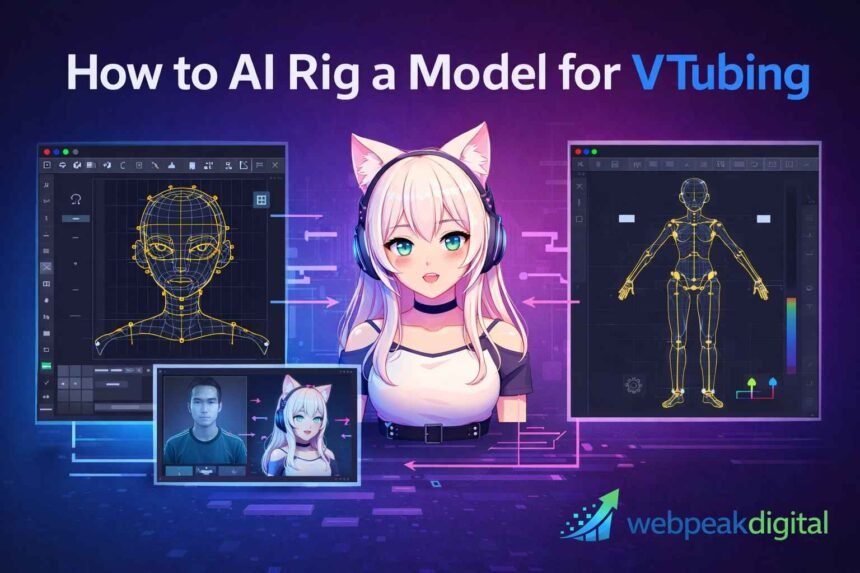
AI rigging has changed how VTuber models are created by reducing the technical effort required to get a character live-ready. Instead of manually setting up every bone, parameter, or deformation from scratch, creators can now rely on AI-assisted tools to handle much of the structural work. This shift has made VTubing more accessible while still leaving room for manual refinement where quality matters.
If you’re searching for how to AI rig a model for VTubing, the goal is usually practical: getting a model to track facial expressions and movement accurately without spending weeks on setup. The process is not fully automatic, and results depend heavily on preparation, tool choice, and post-rig adjustments. Understanding what AI can realistically handle—and where human input is still required is key to using these tools effectively.
What AI Rigging Means in VTubing
AI rigging in VTubing refers to using machine-assisted tools to automate parts of the model setup process.
It reduces manual labor but still relies on human oversight.
-
Used for both 2D and 3D VTuber models
-
Focuses on speeding up technical setup
-
Does not replace creative control
Definition of rigging in 2D and 3D VTuber models
Rigging is the system that allows a VTuber model to move in response to tracking data.
Without rigging, a model cannot animate or react.
-
2D models use deformers and parameters
-
3D models use bones, weights, and blendshapes
-
Both aim to translate real movement into digital motion
How AI-assisted rigging differs from manual rigging
AI-assisted rigging automates structural tasks that are usually done by hand.
Manual rigging depends entirely on technical expertise.
-
AI handles detection and placement
-
Manual work allows fine-grained control
-
AI prioritizes speed over customization
What AI can and cannot automate today
AI automation is limited to predictable tasks.
It cannot judge style, emotion, or performance quality.
-
Can generate skeletons and base deformations
-
Can detect facial landmarks
-
Cannot design expressions or polish motion
Types of VTuber Models You Can AI Rig
AI rigging applies to multiple VTuber model types, but results vary by format.
The closer a model is to standard structures, the better AI performs.
-
Best results with humanoid designs
-
Stylized models require more manual work
AI rigging for 2D Live2D-style models
AI assists with setup but does not replace Live2D workflows.
Layer structure still determines success.
-
Helps map facial movement
-
Speeds up parameter creation
-
Requires manual tuning in Live2D
AI rigging for 3D VRM and humanoid models
AI rigging is most effective for 3D humanoid avatars.
Most tools are built around VRM standards.
-
Automatic bone and weight setup
-
Works best with clean topology
-
Limited support for non-human shapes
Model formats supported by AI rigging tools
AI tools only accept specific file formats.
Unsupported formats must be converted first.
-
Common formats include VRM, FBX, OBJ, PSD
-
Export standards differ by tool
-
Incorrect formats cause failures
How AI Rigging for VTubing Works
AI rigging follows a predictable technical pipeline.
Each stage builds on the quality of the previous one.
-
Preparation
-
Automation
-
Refinement
Model preparation before AI rigging
Preparation ensures the AI can interpret the model correctly.
Most rigging issues originate here.
-
Neutral pose and expression
-
Clean geometry or layers
-
Correct scale and orientation
Automated bone, weight, or deformation generation
AI analyzes the model and applies movement systems.
This replaces manual setup time.
-
Skeleton placement
-
Weight distribution
-
Facial control creation
Post-processing and manual refinement stages
AI output requires human correction.
This step determines final quality.
-
Fix deformation errors
-
Adjust expression ranges
-
Improve tracking response
Step-by-Step Process to AI Rig a VTuber Model
AI rigging follows a repeatable workflow.
Skipping steps leads to unstable models.
-
Prepare
-
Rig
-
Validate
-
Export
Preparing your artwork or 3D mesh for AI tools
Clean input improves AI accuracy.
Messy assets reduce rig quality.
-
Remove unused layers or objects
-
Apply consistent naming
-
Confirm file compatibility
Running the AI rigging process
This stage is mostly automated.
User input is minimal but required.
-
Import the model
-
Select appropriate presets
-
Execute auto-rig
Validating facial tracking and movement accuracy
Validation ensures correct tracking behavior.
Problems here affect live performance.
-
Test facial expressions
-
Check symmetry
-
Adjust sensitivity
Exporting the rigged model for VTuber software
Export settings affect usability.
Incorrect settings break compatibility.
-
Choose supported formats
-
Verify scale and axes
-
Confirm texture integrity
Who Should Use AI Rigging vs Manual Rigging
AI rigging is not ideal for every creator.
Choice depends on skill level and quality expectations.
-
AI favors speed
-
Manual favors precision
Beginners and first-time VTubers
AI rigging suits beginners.
It reduces technical complexity.
-
Faster onboarding
-
Lower cost
-
Acceptable entry-level quality
Indie creators and small teams
Small teams benefit from efficiency.
AI supports flexible workflows.
-
Faster iteration
-
Reduced workload
-
Balanced quality
Professional VTubers and studios
Professionals use AI selectively.
Manual rigging remains standard for final assets.
-
AI for prototyping
-
Manual for production
-
Quality control remains critical
Why AI Rigging Matters for VTubing
AI rigging changes how VTuber models are produced.
It shifts focus from setup to content.
-
Reduces barriers
-
Speeds production
-
Supports scale
Time and cost reduction in model setup
AI shortens production timelines.
This directly reduces costs.
-
Fewer labor hours
-
Faster deployment
-
Lower outsourcing needs
Lowering technical barriers to VTubing
AI makes VTubing more accessible.
Non-technical creators can participate.
-
Simplified workflows
-
Fewer specialized skills
-
Broader creator access
Scaling VTuber production efficiently
AI enables repeatable workflows.
This matters for agencies.
-
Consistent output
-
Faster onboarding
-
Easier updates
Benefits of AI Rigging for Different Creators
Benefits vary by creator type.
AI supports efficiency more than artistry.
-
Speed
-
Consistency
-
Accessibility
Benefits for hobbyist VTubers
Hobbyists gain flexibility.
Low risk encourages experimentation.
-
Minimal setup time
-
Low cost
-
Easy iteration
Benefits for content creators and streamers
Streamers benefit from reliability.
AI reduces downtime.
-
Faster model changes
-
Stable tracking
-
Easier maintenance
Benefits for agencies and VTuber groups
Agencies gain operational efficiency.
AI supports scale.
-
Standardized workflows
-
Faster talent onboarding
-
Reduced production overhead
Best Practices for AI Rigging VTuber Models
Best results come from disciplined workflows.
AI performs best with clean inputs.
-
Prepare properly
-
Review outputs
-
Test early
Preparing clean topology and layered assets
Clean assets improve AI accuracy.
This step cannot be skipped.
-
Organized layers or meshes
-
Neutral poses
-
Consistent naming
Combining AI automation with manual adjustments
Hybrid workflows deliver the best results.
AI handles structure; humans handle nuance.
-
Use AI for setup
-
Manually refine motion
-
Review edge cases
Testing movement and expressions early
Early testing prevents rework.
Problems compound later.
-
Test extremes
-
Check deformation
-
Validate tracking
Technical Requirements and Compatibility Considerations
AI rigging has technical constraints.
Ignoring them causes failures.
-
Hardware
-
Formats
-
Software compatibility
Hardware and system requirements
AI tools require modern systems.
Performance affects speed and stability.
-
Dedicated GPU
-
Sufficient RAM
-
Updated drivers
Supported file formats and export standards
Format support varies.
Incorrect formats break pipelines.
-
VRM, FBX, Live2D formats
-
Tool-specific requirements
-
Export validation needed
Compatibility with VTuber tracking software
Rigged models must match tracking systems.
Mismatch causes poor performance.
-
Facial parameter alignment
-
Skeleton standards
-
Real-time constraints
Common Mistakes and Risks When AI Rigging
Most issues come from misuse.
AI does not fix poor workflows.
-
Overtrust
-
Poor prep
-
Bad exports
Over-relying on fully automated results
AI output is not final quality.
Skipping review reduces realism.
-
Unnatural motion
-
Broken expressions
-
Tracking inconsistency
Poor model preparation causing tracking issues
Bad inputs create bad outputs.
AI amplifies mistakes.
-
Incorrect scale
-
Messy topology
-
Incomplete facial data
Export and scaling problems
Export errors are common.
They often appear late.
-
Axis issues
-
Scale mismatches
-
Missing assets
Tools and Software Used for AI Rigging VTuber Models
AI rigging relies on multiple tools.
Each plays a specific role.
-
Rigging
-
Refinement
-
Runtime
AI auto-rigging tools for 3D models
These tools automate skeleton setup.
They work best on humanoids.
-
Bone placement
-
Weight painting
-
VRM support
AI-assisted tools for 2D rigging workflows
AI supports Live2D workflows.
Manual control remains necessary.
-
Facial mapping
-
Parameter setup
-
Deformer assistance
VTuber software used after rigging
Runtime software handles live performance.
Rigging quality affects results.
-
Face tracking
-
Expression mapping
-
Streaming integration
AI Rigging vs Traditional Rigging for VTubing
AI and manual rigging serve different goals.
Choice depends on priorities.
-
Speed vs control
-
Scale vs polish
Speed and learning curve comparison
AI is faster and easier to learn.
Manual rigging takes longer.
-
AI: hours or days
-
Manual: weeks
-
Skill depth differs
Quality and customization trade-offs
Manual rigging offers superior control.
AI provides baseline quality.
-
AI favors consistency
-
Manual favors expressiveness
-
Hybrid workflows common
When traditional rigging is still required
Some models demand manual work.
AI has limits.
-
Stylized characters
-
Non-humanoid designs
-
High-end production
Pre-Rigging and Post-Rigging Checklists
Checklists reduce errors.
They enforce consistency.
-
Before
-
After
-
Live testing
Checklist before running AI rigging
Preparation avoids rework.
-
Correct pose and scale
-
Clean assets
-
Supported format
Checklist after AI rigging is complete
Review ensures functionality.
-
Test movement
-
Inspect deformations
-
Fix errors
Final testing checklist for live streaming
Live testing confirms readiness.
-
Tracking stability
-
Performance under load
-
Expression accuracy